
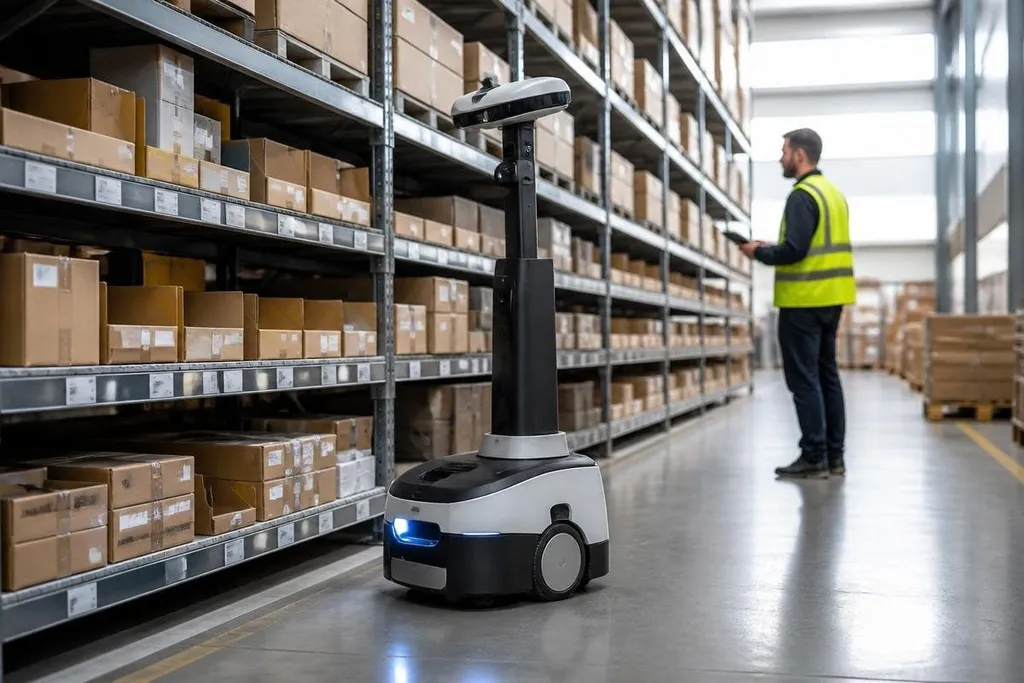
A stock count can be wrong before a worker notices an empty shelf. Robots can check locations, read labels, and send fresh data to inventory software while people keep handling exceptions and decisions.
If you manage a warehouse, the useful question is where a robot removes delay or error from your current process.
- Mobile robots can scan shelves without closing an aisle.
- Barcode cameras and RFID readers can record item locations during routine trips.
- Better stock records help buyers avoid excess orders and missed replenishment.
Where robots fit in a warehouse
Inventory robots usually move through storage areas and collect data. A mobile robot may carry cameras, barcode readers, RFID equipment, or a small sensor package. The exact setup depends on the labels, shelf design, lighting, and software already in use.
Following mapped routes, the robot can stop at assigned locations and send each scan to a warehouse management system. That creates a regular record of what the robot saw, where it saw it, and when the scan took place.
The record matters because inventory changes all day. Workers receive goods, pick orders, move cartons, and return items. A count taken once each month can miss a misplaced case for weeks. More frequent scans give staff a shorter path from a stock error to a physical check.
What the data can fix
The first gain is location accuracy. If the system records a carton in one shelf position but a scan finds it elsewhere, a worker can check the location before another order fails.
The same process can flag empty slots, unreadable labels, blocked aisles, and stock that sits in the wrong area. The system cannot decide why an item moved, but it can give a person a clear place to start.
Inventory records also affect purchasing. When the system has fresher counts, a buyer has better information before placing an order. That can reduce duplicate orders and help the warehouse spot items that need attention before a customer order arrives.
The result depends on the link between the robot and the inventory system. A scan that stays in a separate dashboard still leaves staff to copy data by hand. The useful setup writes approved findings into the same system that controls receiving, picking, and replenishment.
A scan can find a missing box and still leave staff to fix the count by hand. Inventory robotics reporting can tie the machine to its scan rate, warehouse system, and human follow-up, so you can judge whether the setup cuts work or shifts it elsewhere. Those limits lead to the next section, where the robots fall short.
Where robots fall short
Sensors show only what they can read. Dust, damaged labels, reflective packaging, stacked cartons, poor lighting, and blocked shelf faces can lower scan quality. The machine may report a missing item when the item is present but hidden.
That makes exception handling part of the design. Staff need a way to review uncertain scans, correct bad records, and send the robot back to a location. The correction should also reach the inventory system, or the same error can return on the next route.
Robots need floor space, charging access, safe operating rules, and service time. A warehouse with narrow aisles or frequent layout changes may need a different setup from a large facility with fixed storage locations.
The robot must fit the work area before it can add useful data. Cost needs the same careful check. The purchase price is only one part of the decision. Installation, software links, labels, network changes, training, repairs, and staff time all affect the result.
A practical starting checklist
Before choosing a robot, check these points:
- Name the error: record whether the main problem is missed counts, wrong locations, damaged labels, or slow cycle counts.
- Map the system link: confirm where scan results will go and who can approve a correction.
- Test the shelves: check lighting, aisle width, label size, rack height, and floor condition in the real work area.
- Set an exception path: decide who checks uncertain readings and how they update the record.
- Count the full cost: include software, setup, charging, service, training, and changes to daily work.
- Choose a small route: start with one storage area where the present error rate can be measured.
I'd start with the worst stock error, not the most visible robot. That keeps the project tied to a result you can check: fewer location mistakes, faster counts, or fewer orders delayed by missing stock.
The next decision is practical. Measure that error for a fixed period, run the proposed scan route, and compare the robot's findings with a human count before expanding beyond one area.